Blazing Fast UI
Instantly Accessible
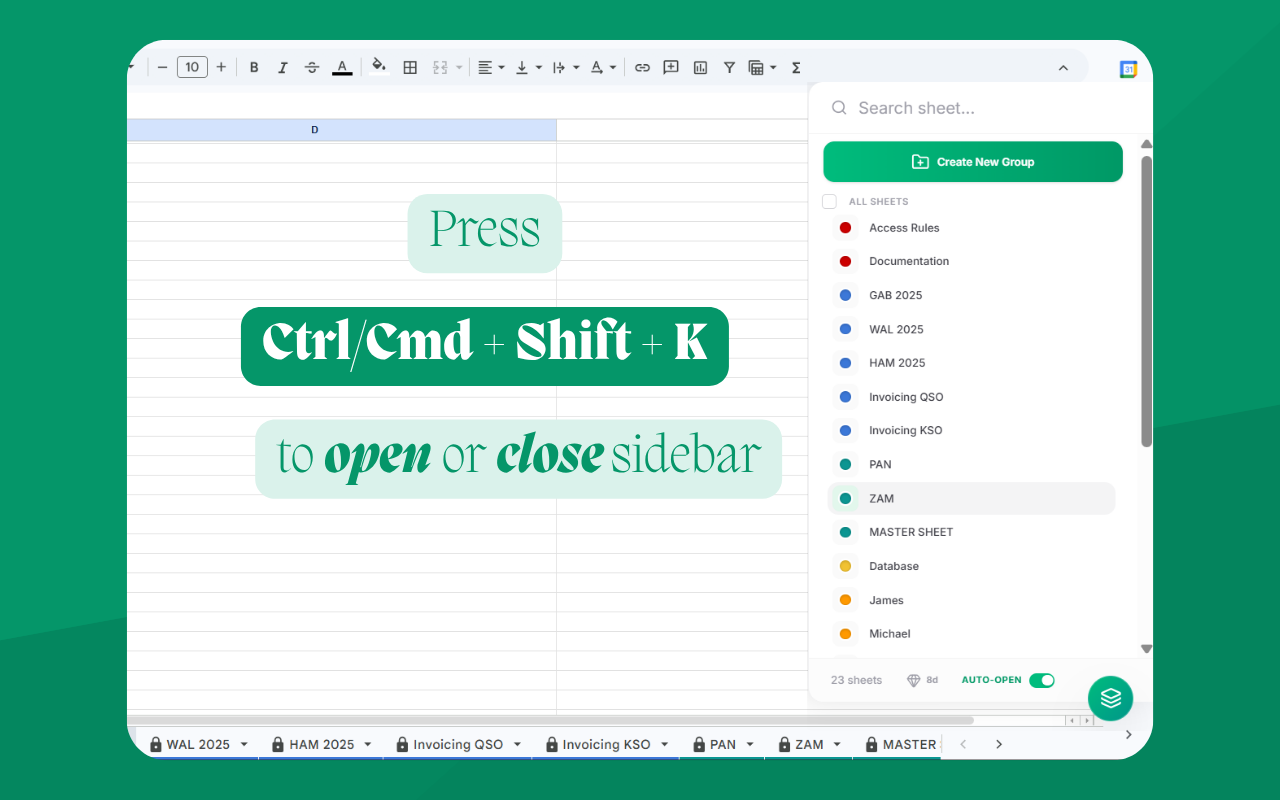
Press CTRL+SHIFT+K or CMD+SHIFT+Kto open and close the sidebar, instantly. A vertical list of tabs is easier to navigate than the native Google Sheets horizontal tab bar.

Stop scrolling through endless tabs — organize them in folders, search, and pin them in seconds.
Managing a Google Sheets file with dozens of tabs is frustrating.
Sheets Organizer gives you back control — instantly.
Press CTRL+SHIFT+K or CMD+SHIFT+Kto open and close the sidebar, instantly. A vertical list of tabs is easier to navigate than the native Google Sheets horizontal tab bar.
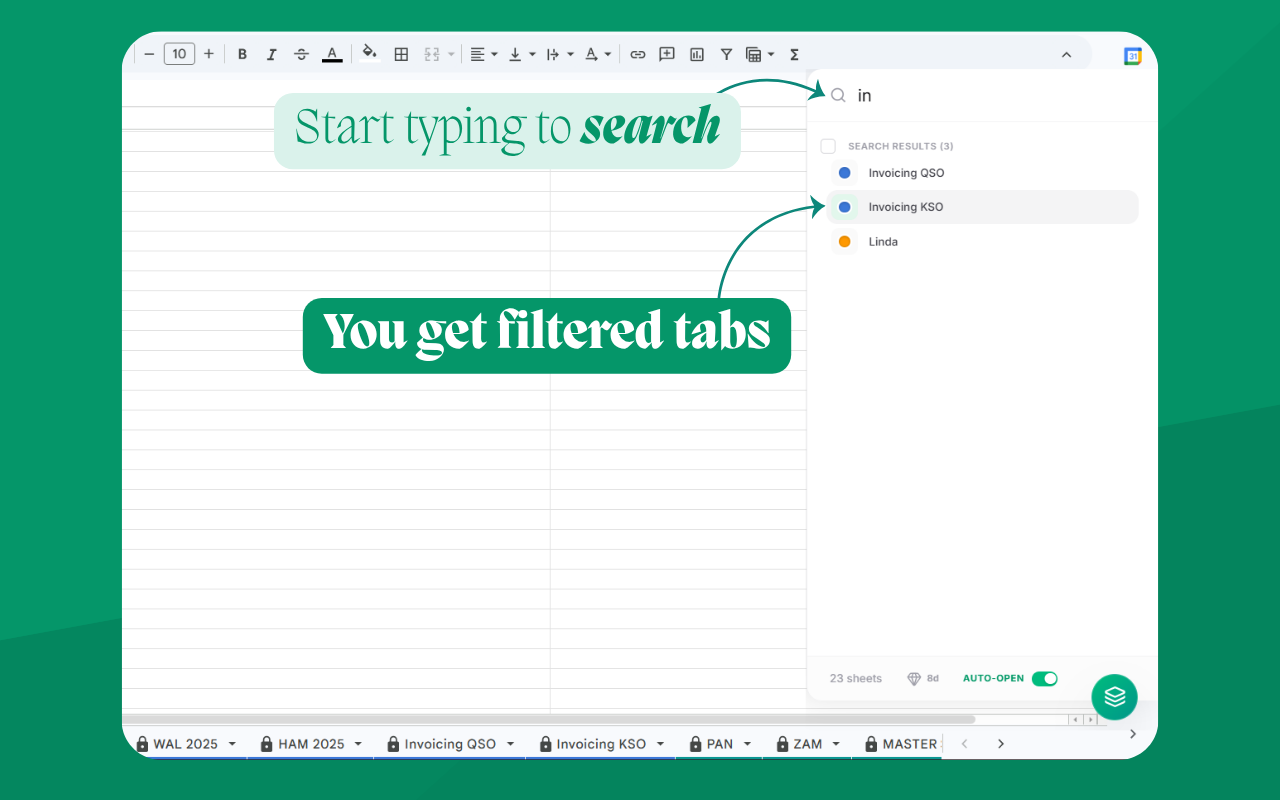
Forget scrolling endlessly along the bottom bar. Open the sidebar and just type. Jump to any sheet in milliseconds without lifting your hands from the keyboard.
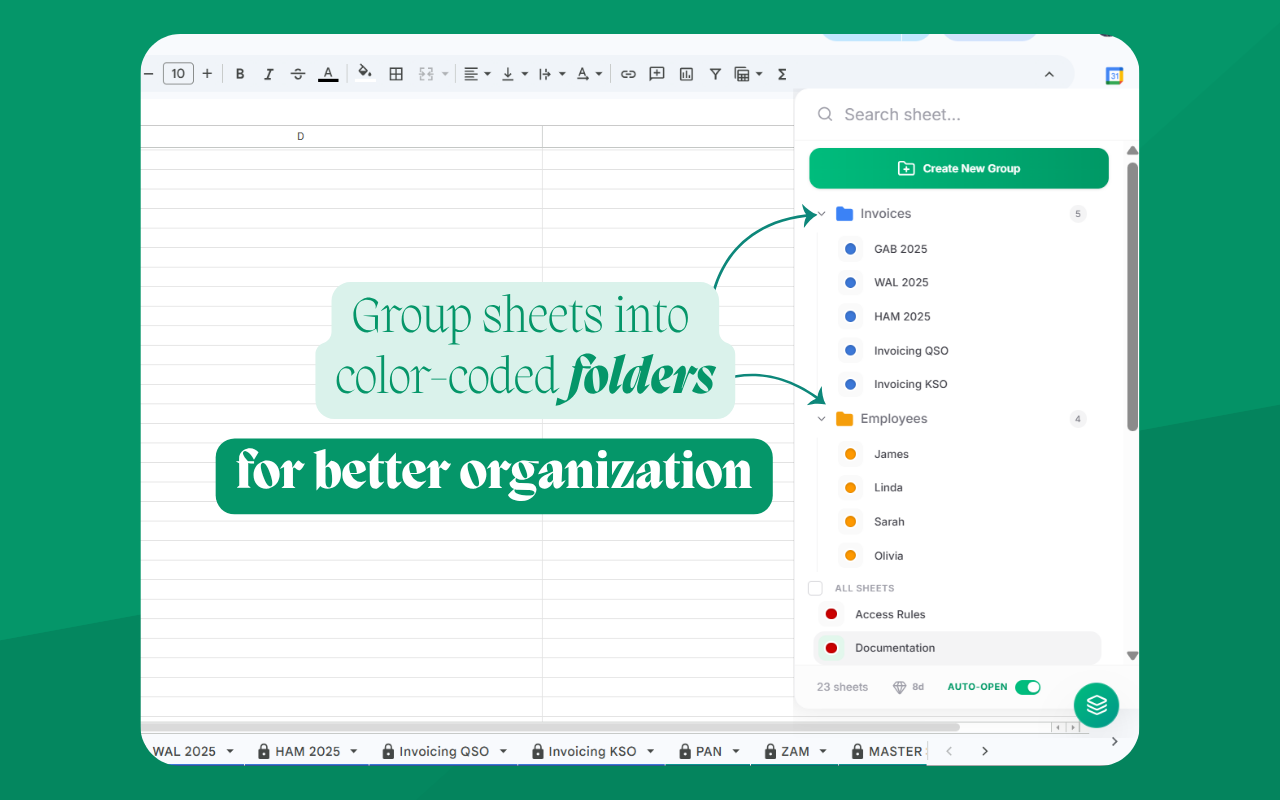
Organize your sheet tabs into custom color-coded folders. Keep related sheets together and collapse groups when you don't need them.
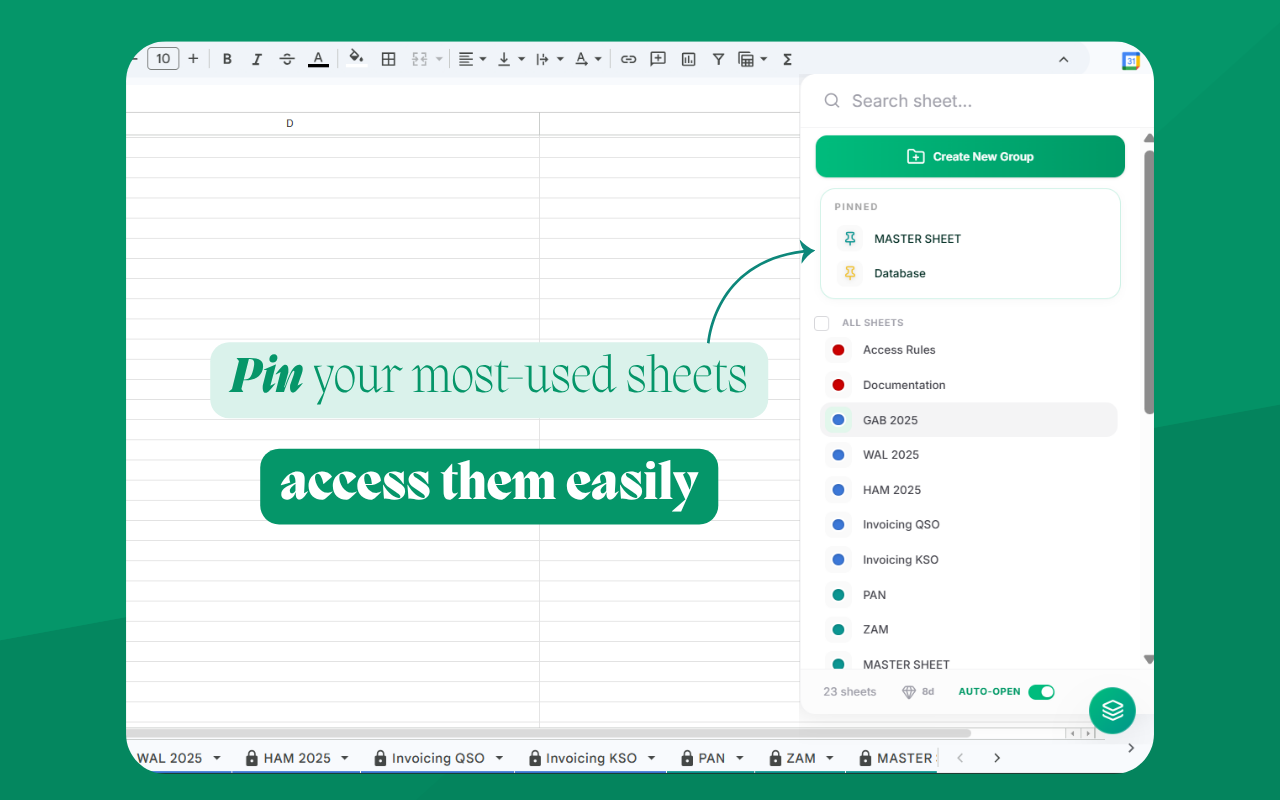
Keep your most used tabs pinned at the very top of your sidebar. They stay accessible no matter how you reorganize tabs inside the spreadsheet.

Start with a no-risk 30-day free trial. Upgrade anytime to premium.
Everything you need to know about our Google Sheets organization tool
Start using in 1 min. No credit card required.